Generating next4biz CSM Help Center Iframe Tag
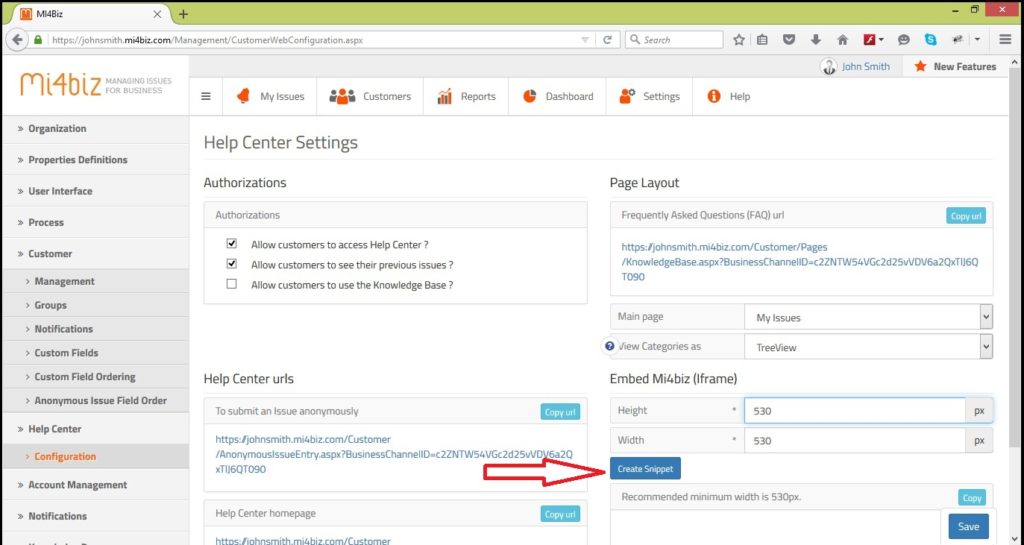
Go to Settings > Help Center > Configuration using the left-hand-side menu.
- Enter the desired Height and Width settings, and then click on “Create Snippet” button.
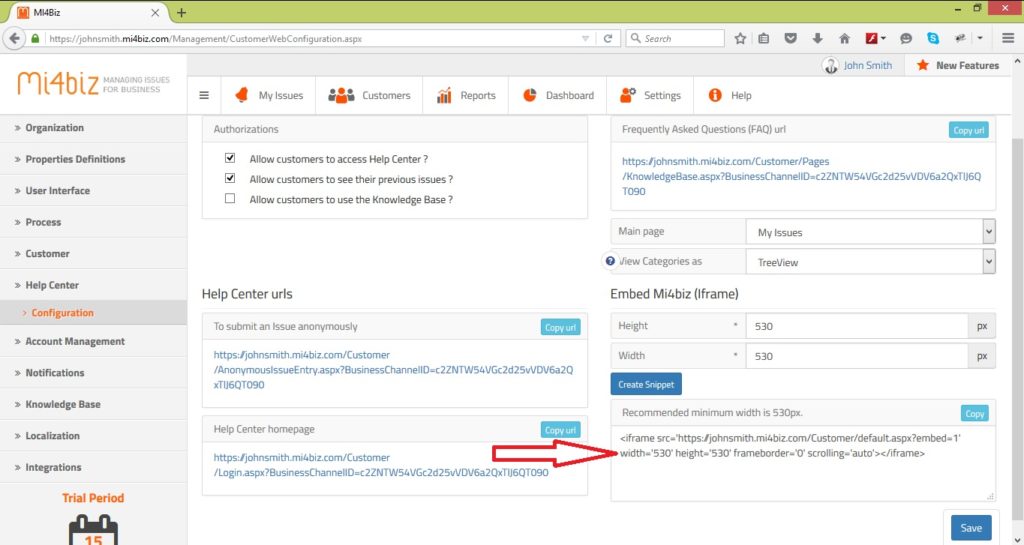
- Clicking “Create Snippet” button will generate the IFrame tag as shown below pointed by the red arrow, with the Height and Width settings specified using the textboxes above the button.
Now that the Iframe tag has been generated, Help Center can be added to the desired web page as shown in Displaying next4biz Help Center IFrame
Screenshots